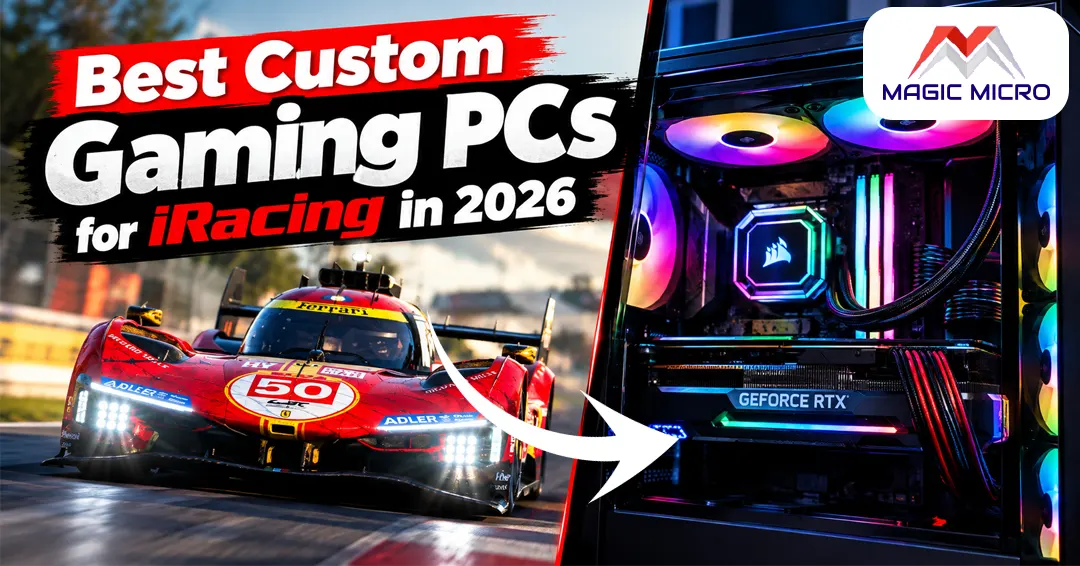
Finding the right custom gaming PCs for iRacing is harder than most people expect. iRacing looks like a racing game on the surface, but it runs like a physics engine with graphics attached. Every tire contact patch, suspension movement & aerodynamic interaction is calculated in real time for every car on the grid simultaneously – and your CPU handles all of it while also feeding frames to your display.
Most gaming advice points people toward the GPU first. For iRacing, that advice will cost you money without solving the actual problem.
Why iRacing Is Different from Other Racing Games?
iRacing is the simulation platform that real professional racing drivers use for off-season training. That level of physical accuracy puts demands on hardware that no arcade racer comes close to matching.
The physics simulation runs on the CPU – not the GPU. In a 20-car grid start, your processor is calculating 20 separate tire models, suspension systems & collision responses simultaneously. According to the official iRacing system requirements, an 8-core CPU is listed at the recommended high-performance tier – not because iRacing needs all those cores for typical gaming tasks, but because the physics simulation scales across cores during crowded race conditions.
The GPU’s role is comparatively lighter – rendering the cars, tracks & environment. At single 1080p, mid-range cards handle iRacing cleanly. The GPU requirement jumps significantly for triple-screen or VR setups.
CPU: The Most Important Component for iRacing
Thrustmaster recommends an Intel Core i5-14600K or AMD Ryzen 5 7600 for smooth iRacing performance at the recommended tier in 2026. In practice, pushing for higher single-core speed makes a meaningful difference in race starts and high-car-count situations.
1. Ryzen 5 9600X (5.4 GHz Turbo)
The right pick for 1080p iRacing at 60–144 FPS with clean frame times. The high boost clock handles iRacing’s physics demands comfortably in most race scenarios.
Ryzen 7 5800X (3.8 GHz, 8-core)
Eight cores give more headroom in multi-car grid situations. A solid mid-range foundation that handles iRacing cleanly without overspending on unnecessary capability.
2. Ryzen 9 5900X (3.7 GHz, 12-core)
The strongest foundation in this lineup. 12 cores handle the most demanding race scenarios without frame time variance, regardless of how many cars are on track simultaneously.
GPU: Match to Your Display Setup
1. Single 1080p Screen
A mid-range GPU covers everything. Fanatec’s iRacing spec guide recommends a gaming GPU with at least 8 GB of dedicated VRAM at the recommended performance tier. In 2026, that means 8–12 GB minimum for comfortable racing at high settings.
2. Triple Screens
GPU requirements jump significantly here – the system renders three separate viewports simultaneously. An RTX 5070 Ti or RTX 5080 is the practical minimum for triple 1440p at smooth frame rates.
3. VR
Similar demands to triple screens. Headsets running at 90 Hz need consistent frame delivery, which requires GPU headroom beyond what single-screen setups demand.
RAM and Storage
As a top custom PC building company, we recommend 32 GB RAM for the optimal iRacing experience – particularly once crew chief apps, overlays, Discord & a browser with race data are all running alongside the sim.
For storage, a 1 TB PCIe NVMe SSD covers the full iRacing content library without juggling installs. The game streams track and car assets during loading – a fast NVMe drive keeps those loads short.
For a broader look at how RAM capacity affects gaming performance generally, the How Much RAM Do Gaming PCs Really Need? guide covers every scenario clearly.
Recommended Best Custom Gaming PCs for iRacing From Magic Micro
All four systems below are from Magic Micro’s dedicated gaming PCs for iRacing page – every system is fully customizable at checkout for GPU, RAM & storage to match your specific sim setup.
AMD Ryzen 5 5500 Gaming PC Special #1 – $1,420 (save $300)
- CPU: AMD Ryzen 9 5900X – 12-core, 3.7 GHz
- RAM: 8 GB DDR4 3200 MHz (upgrade to 16 GB or 32 GB at checkout)
- Storage: 512 GB NVMe SSD
- GPU: AMD Radeon RX 6500 XT 4 GB
The strongest CPU foundation in the lineup – a 12-core Ryzen 9 5900X handles iRacing’s multi-car physics demands without breaking a sweat. The base GPU is functional for 1080p at medium settings; upgrading to a current-generation RTX card at checkout transforms this into a full-featured iRacing build. Starting at $71/month through financing.
AMD Ryzen 5 5500 Gaming PC Special #2 – $1,210 (save $300)
- CPU: AMD Ryzen 9 5900X – 12-core, 3.7 GHz
- RAM: 8 GB DDR4 3200 MHz (upgrade recommended)
- Storage: 512 GB NVMe SSD
- GPU: GeForce GTX 1650 4 GB
Same 12-core CPU foundation at a lower entry price. The right pick for buyers who want to start with the strong CPU base and plan GPU and RAM upgrades through the configurator. A current-generation RTX 5060 Ti or higher added at checkout completes this into a solid 1080p iRacing setup. Starting at $60.50/month.
AMD Ryzen 7 5700X Gaming PC Special #2 – $1,170 (save $300)
- CPU: AMD Ryzen 7 5800X – 8-core, 3.8 GHz
- RAM: 8 GB DDR4 3200 MHz (upgrade recommended)
- Storage: 512 GB NVMe SSD
- GPU: GeForce GTX 1650 4 GB
An 8-core processor at the most accessible entry price in the lineup. The 5800X handles iRacing cleanly in most race scenarios and sits comfortably within iRacing’s recommended tier which calls for a 6-core CPU or better with examples including AMD Ryzen 7 3700X. Upgrade RAM to 32 GB and add an RTX 5060 Ti at checkout for a complete build. Starting at $58.50/month. iRacing
Magic AMD 7000 Ryzen 5 Mini Gamer #1 – $1,215 (save $300)
- CPU: AMD Ryzen 5 9600X – 6-core, 5.4 GHz Turbo
- RAM: 16 GB DDR5 4800 MHz dual-channel (already configured)
- Storage: 512 GB NVMe SSD
- GPU: Integrated graphics (add discrete GPU at checkout)
The only DDR5 platform in the iRacing lineup – and the most forward-looking foundation. The 9600X’s 5.4 GHz turbo clock is the highest boost speed in this lineup, which benefits iRacing’s single-core physics demands. The AM5 platform supports future AMD processor upgrades, making it the best long-term investment. Add an RTX 5060 Ti or better at checkout. Starting at $60.75/month.
Closing Thought
iRacing rewards CPU investment more than any other sim on PC. A top custom PC building company builds iRacing machines around that priority – getting the processor right first, matching the GPU to the display setup & configuring RAM for the full sim environment rather than gaming alone.
Browse Magic Micro’s full iRacing PC lineup to compare all four systems – every one customizable to your screen setup, racing series & budget. If you want a build configured around triple screens or VR, the build team handles that directly. Financing through Bread Pay starts from under $60/month.
Frequently Asked Questions (FAQs):
Q1. Is iRacing more CPU or GPU intensive?
CPU – significantly more than most games. iRacing calculates real-time physics for every car on the grid simultaneously. The GPU handles rendering, which is comparatively lighter. This is why CPU selection matters more for iRacing than it does for most other titles.
Q2. What is the minimum CPU for iRacing in 2026?
iRacing’s official minimum is a 4-core CPU, with the recommended tier calling for a 6-core processor such as the AMD Ryzen 5 3600 or Intel Core i7-8700K at 3.70 GHz. In practice, 2026 means targeting current-generation 6 to 8-core processors for comfortable frame rates during grid starts.
Q3. How much VRAM does iRacing need?
A gaming GPU with at least 8 GB of dedicated VRAM at the recommended tier. At single 1080p, 8 GB covers everything. For 1440p or VR, 12–16 GB gives more comfortable headroom.
Q4. Can I run iRacing on 16 GB of RAM?
Yes – for focused single-screen sessions. For a complete sim racing environment with overlays, crew chief apps, Discord & a browser open alongside the sim, 32 GB is the more comfortable starting point.
Q5. Does AMD Ryzen work well for iRacing?
Very well. Ryzen processors – particularly the 5900X and X3D variants – are regularly recommended by the sim racing community for iRacing. The 9600X’s high 5.4 GHz turbo clock benefits iRacing’s single-core physics workload specifically.
Q6. What GPU do I need for triple screen iRacing?
Triple screens require significantly more GPU power – the system renders three viewports simultaneously. An RTX 5070 Ti is the practical minimum for triple 1080p screens. For triple 1440p, an RTX 5080 gives comfortable headroom at max settings.
Q7. Does iRacing support VR?
Yes. VR requires at minimum the same specs as the recommended single-screen configuration & in practice, benefits from a more powerful GPU for headsets running at 90 Hz or above.
Q8. How much storage does iRacing need?
A focused series install fits under 100 GB. The full car and track library across all iRacing content can push toward 225 GB. A 1 TB NVMe SSD covers a focused series library with room for growth without regular storage management.
Q9. Is a steering wheel required for iRacing?
Not technically required – iRacing supports controllers and keyboards. But the simulation depth and force feedback detail the platform provides only comes through properly with a wheel and pedal set. Most serious iRacing drivers use at minimum a belt-drive wheel with a three-pedal set.
Q10. Can I upgrade the RAM and GPU in these Magic Micro systems later?
Yes – all four systems are fully customizable at checkout & the components are standard consumer hardware that can be upgraded later. The Ryzen 5 Mini Gamer running AM5 offers the clearest future upgrade path for CPU as well, since AM5 supports next-generation Ryzen processors.