Can’t decide between building your own computer or just buying one that’s already put together? Don’t worry – you’re thinking about the right question.
Whether you want a custom built PCs that runs the latest games smoothly, a workstation for serious work, or just a computer that does the job, we’ll break it down for you. At Magic Micro, we help people make this choice all the time, and it’s easier than you think.
What’s the Difference?
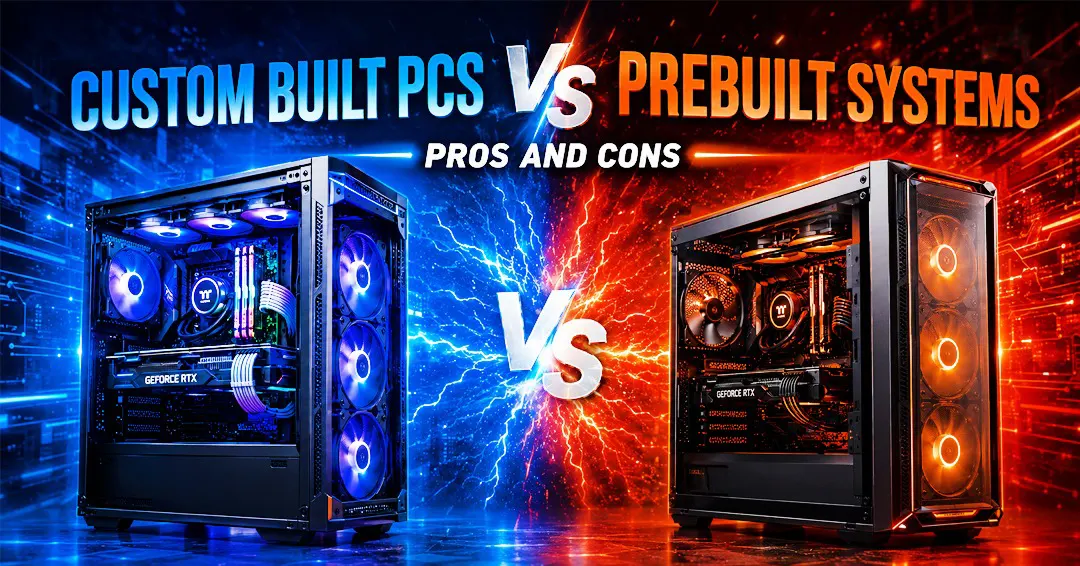
Prebuilt Computers: These computers are already built and assembled; the only thing you do is order them, and you get the PC straight from the company, and it is ready to plug in. The company builds it, tests it, and ships it to you. You just open the box and start using it. No waiting, no effort – just instant use.
Custom-Built Computers: These computers give an upper hand as these PCs are customized and built as per your requirements. You pick each part, whether it is the processor, memory, storage, or graphics; everything is based on what you actually need. Nothing is pre-decided. You make every choice.
Advantages of the Prebuilt Systems
1. It’s Super Easy
You don’t have to research anything or build anything. Just buy it, set it up, and you’re done. Perfect if you’re busy and just want something that works. There’s no confusion, no long nights reading guides online. You get your computer and start working right away.
2. You Get a Guarantee
If something breaks, the company fixes it for free. That’s a big deal. You’re covered. If a part stops working in the first year or two, they replace it with no questions asked. At Magic Micro, on any purchase, you get an extended warranty for free. That peace of mind is worth a lot.
3. Everything Works Right Away
All the parts are already tested and working together. No surprises, no problems. The company made sure every part connected and functioned properly. When you turn it on, it just works.
4. It Won’t Cost You Much
Because the company makes tons of these computers, it can sell them cheaper. If you just need something for emails, watching videos, or work, you get good value. You’re not paying extra for fancy features you don’t need.
5. Good Quality Parts
They use parts that are tested and work well together. You know it’s going to last. The company makes sure each piece is reliable before it ships out. That means fewer headaches down the line.
6. Expert Assistance is There When You Need It
If something goes wrong, the company’s support team can help you fix it. That’s helpful. You can call them, email them, or chat with them. Someone who knows these computers inside and out will help you solve the problem.
The Cons of Prebuilt Systems
1. You Can’t Change Anything
You get what they give you. Want a better graphics card? Too bad. Want more memory? You’re stuck with what’s inside. If the computer doesn’t have exactly what you need, that’s just too bad. You have to accept it or buy a different model.
2. Upgrading is a Hassle
If you want to make it faster later, you can’t just swap one part. You might have to change multiple things, which is annoying and expensive. Sometimes the parts don’t even fit inside the computer case. It becomes a big project that costs a lot of money.
Advantages of Custom-Built PCs
1. You Pick Everything
This is the best part. You choose every single piece. Building a custom gaming PC? Pick the exact graphics card you want. Need a workstation for video editing? Choose the memory and processor that make sense. You’re in control. Nobody tells you what you need – you decide.
2. It Does Exactly What You Need
When you build it yourself, you’re not paying for stuff you don’t use. Custom gaming PCs get the parts for gaming. Workstations get the parts for serious work. Nothing wasted. Your money goes toward things that actually matter to you.
3. You Can Make It Better Later
Need more power next year? Just add a new part. It’s that simple. Custom gaming PCs and workstations by Magic Micro last longer because you can keep upgrading them easily. You don’t have to throw away the whole computer – just improve what’s inside.
4. You Learn How It Works
When you build your own computer, you learn about computer hardware and what everything does. Next time something breaks or gets slow, you can fix it yourself. That’s cool – and it saves money. You become the expert with your own machine.
5. You Save Money Over Time
Yes, it takes time to build one. But you can pick smart parts that cost less, or buy used parts. For custom gaming PCs and professional workstations, this adds up to real savings. You’re not paying for anything unnecessary.
Cons of Custom-Built PCs
1. You Need to Know Some Stuff
You have to understand which parts work together. It’s not hard, but it’s not simple either. You need to do some homework. But don’t worry – there are tons of guides and videos online that walk you through it step by step. At Magic Micro, we can guide you through all your custom build needs. If you have any query just chat with our expert team, and they will help you build your dream PC.
2. It Takes Time
You have to pick parts, wait for them to arrive, then build it. And if something doesn’t work, you have to figure out why. It’s not quick. You’re looking at days or weeks of work, not just an afternoon.
3. You Need Tools
Building a custom PC requires simple tools like a screwdriver, thermal paste, and cable ties for setup. You will need to have proper knowledge to skill to assemble all parts correctly.
Which One Should You Pick?
Get a Ready-Made Computer If:
- You just want something that works right now
- You’re doing normal stuff like emails, browsing, and watching videos
- You want a guarantee and don’t want to worry
- You don’t have much money to spend
- You don’t want to deal with any technical stuff
Build Your Own If:
- You want a custom gaming PC that plays new games at high settings
- You need a workstation for serious work like video editing or design
- You want to upgrade it yourself down the road
- You enjoy learning how computers work
- You want exactly what you need, nothing more, nothing less
What Magic Micro Thinks
Here’s the real talk: both options are good. It just depends on what you need and how much time you have.
If you want a custom gaming PC built the right way, or a workstation that won’t slow you down, we’re here for that. If you just need something simple and fast, a prebuilt computer works great.
Don’t stress about this decision. Think about what you actually do on a computer. Think about your budget. And think about whether you want to learn how to build one or just want something ready to go.
Then pick what makes sense for you. For the top gaming PCs and workstations, you can explore Magic Micro custom PCs. Built your dream PC today!
Frequently Asked Questions(FAQ):
1. What is the difference between custom-built PCs and prebuilt systems?
Custom-built PCs are assembled using user-selected components, while prebuilt systems come fully assembled and ready to use from manufacturers.
2. Are custom-built PCs better for gaming?
Custom-built PCs are often preferred for gaming because users can choose high-performance components based on their gaming needs.
3. Are prebuilt PCs good for everyday use?
Yes, prebuilt PCs are suitable for everyday tasks like browsing, office work, streaming, and general home use.
4. Which is cheaper: custom PCs or prebuilt systems?
Prebuilt systems may cost less upfront, while custom PCs can provide better long-term value and upgrade flexibility.
5. Can I upgrade a prebuilt PC later?
Some prebuilt systems allow upgrades, but customization and compatibility may be more limited compared to custom PCs.
6. Why do gamers prefer custom gaming PCs?
Gamers prefer custom gaming PCs for better graphics performance, upgrade options, and personalized hardware selection.
7. Are custom PCs difficult to build?
Building a custom PC requires basic technical knowledge, but many online guides and experts can help simplify the process.
8. Do prebuilt systems come with warranties?
Yes, at Magic Micro, prebuilt systems include manufacturer warranties and customer support services.
9. What are the advantages of custom workstations?
Custom workstations allow professionals to optimize performance for rendering, video editing, CAD, and creative workloads.
10. Which option is best for beginners: custom PCs or prebuilt systems?
Prebuilt systems are generally easier for beginners because they require no assembly or hardware setup.
Tags: Custom Built PCs, Prebuilt Systems, Custom Gaming PCs, Gaming Workstations, MagicMicro, PC Building Guide, High Performance PC, Gaming PC Setup, Custom PC Builder, Workstation PC, PC Gaming Performance, Rendering Workstation, Gaming Computer, PC Upgrade Guide, Professional Workstations