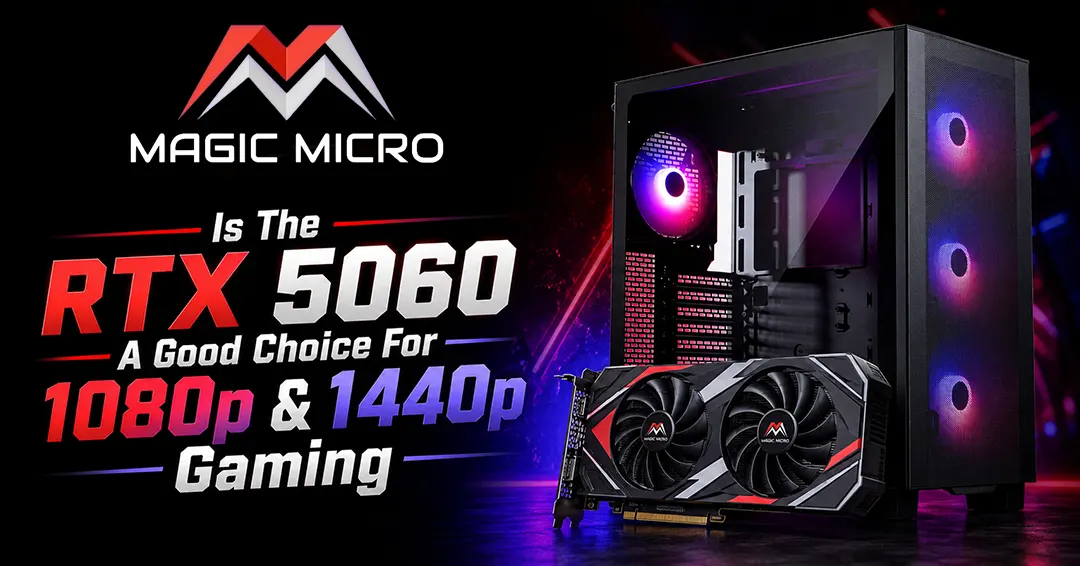
The RTX 5060 is arguably the most talked-about card in NVIDIA’s new Blackwell generation. And for good reason – the xx60 series has always been the sweet spot for mainstream Custom Gaming PCs. It’s the card most people actually buy. But with the jump to a new architecture, faster memory, and the ever-present question of VRAM, is this the GPU you should drop your hard-earned cash on? Let’s cut through the noise.
1080p Performance: Absolutely Crushes It
If you’re gaming at 1920×1080, stop reading and start saving. The RTX 5060 is an absolute monster at this resolution. We’re talking about a solid 20-25% performance uplift over the RTX 4060 on average. In some overclocked models, that gap can stretch to over 30%.
Fire up Cyberpunk 2077 or Alan Wake 2, crank the settings to Ultra, and you’re looking at buttery-smooth framerates well above 60 FPS. For competitive titles like Fortnite? The 5060 stays surprisingly stable above 90-100 FPS even with heavy Unreal Engine 5 features enabled.
A huge part of this is DLSS 4.5. The new Transformer model produces much cleaner upscaled images than older versions. And with Multi-Frame Generation, the card can effectively multiply your frame rates in supported titles. For 1080p gamers, this card is basically a cheat code.
1440p Realities: Where Things Get Complicated
Now, let’s talk about 2560×1440. This is where the RTX 5060 starts to show its limits. It can handle 1440p gaming, but you need to be realistic about your expectations.
In well-optimized titles or with settings dialed back to Medium/High, you’ll get a perfectly serviceable experience – often 60+ FPS. But here’s the elephant in the room: the 8GB of VRAM and the 128-bit memory bus.
In 2025, 8GB is cutting it close. Fire up a heavy AAA title with large texture packs at 1440p, and you’ll hit a wall. Performance can quickly decline as the memory buffer fills up. In Starfield, average FPS can dip to 28. Alan Wake 2 hovers around 36 FPS at 1080p max settings, so you can imagine the struggle at 1440p.
You can overcome this by leaning heavily on DLSS 4.5. Switching DLSS to ‘Quality’ makes 1440p gaming a breeze in many titles. But if you’re someone who hates making compromises on visual settings, this limitation is going to sting. It’s a classic case of a graphics processing unit (learn more about GPU architecture here) that’s held back by its memory capacity.
The Hardware Breakdown
Under the hood, the RTX 5060 is built on the Blackwell architecture with 3,840 CUDA cores. It swaps out the older GDDR6 for faster GDDR7 memory, which significantly boosts bandwidth despite the narrow 128-bit bus. The card sips power at around 150W, making it incredibly efficient and easy to cool.
For context, it’s roughly 28% faster than the RTX 4060 at 1440p. But compare it to older cards with more VRAM, like the RTX 3060 12GB, and the picture gets murky. The 5060 obliterates it in raw speed – we’re talking over 50% faster – but the 3060 can sometimes hold its own in frame stability simply because it has more memory to work with.
The Verdict: Who Is This Card For?
The RTX 5060 is a fantastic choice, but only for the right person.
Buy this card if: You are a dedicated 1080p gamer who wants maxed-out settings and high framerates for years to come. You’re also a good candidate if you’re a 1440p gamer who is happy to tweak settings and utilize DLSS 4.5 to get smooth performance.
Look elsewhere if: You insist on playing the latest AAA titles at 1440p Ultra without any upscaling. In that case, the 8GB VRAM is going to be a persistent headache.
Ultimately, the RTX 5060 is a solid generational leap. It just asks you to be mindful of its limitations.
Ready to build your dream machine? At Magic Micro, we specialize in custom gaming PCs and workstations tailored to your exact needs and budget. As a top custom PC building company, we can help you pair the RTX 5060 with the right components to maximize its potential, or guide you toward a step-up card if 1440p is your priority. Head over to our website and check out our custom system configurator today. Let’s build something legendary.
Frequently Asked Questions(FAQ):
1. Is the RTX 5060 good for 1080p gaming?
Yes, the RTX 5060 is excellent for 1080p gaming, delivering high frame rates at Ultra settings and offering a significant performance improvement over the RTX 4060.
2. How much faster is the RTX 5060 compared to the RTX 4060?
The RTX 5060 is approximately 20-30% faster than the RTX 4060, depending on the game, settings, and specific card model.
3. Can the RTX 5060 handle 1440p gaming?
Yes, the RTX 5060 can handle 1440p gaming, especially when using DLSS 4.5 and optimized graphics settings, though demanding AAA games may require compromises.
4. Is 8GB of VRAM enough for modern games in 2026?
For 1080p gaming, 8GB of VRAM is generally sufficient. However, at 1440p with Ultra textures in newer AAA games, 8GB can become a limitation.
5. What is DLSS 4.5, and how does it improve performance?
DLSS 4.5 uses AI-powered upscaling and Multi-Frame Generation to increase frame rates while maintaining high image quality.
6. Does the RTX 5060 support Multi-Frame Generation?
Yes, the RTX 5060 supports Multi-Frame Generation, allowing supported games to achieve significantly higher frame rates.
7. How many CUDA cores does the RTX 5060 have?
The RTX 5060 features 3,840 CUDA cores based on NVIDIA’s Blackwell architecture.
8. What type of memory does the RTX 5060 use?
The RTX 5060 uses faster GDDR7 memory, which improves bandwidth and gaming performance compared to previous-generation GDDR6 memory.
9. What is the power consumption of the RTX 5060?
The RTX 5060 has a power draw of approximately 150 watts, making it an energy-efficient graphics card.
10. Is the RTX 5060 a good choice for a custom gaming PC build?
Yes, the RTX 5060 is a great option for custom gaming PCs, offering strong performance, power efficiency, and support for the latest NVIDIA technologies.