High-FPS gaming is not just about bragging rights. When you play a fast shooter at 144 frames per second versus 60, the difference is not something you imagine – it is something you physically feel the moment your hand moves the mouse. Targets track more easily. Reactions land faster. The whole experience becomes less about fighting your hardware and more about actually playing the game.
But chasing high frame rates is not as simple as buying the most expensive GPU on the shelf. It is a systems problem. Every component in the chain has to hold up its end, or the whole thing underperforms. This guide walks through what actually matters and why.
Why High FPS Matters More Than Most People Think?
Your monitor has a refresh rate – the number of times it updates the image on screen per second. A 144 Hz monitor refreshes 144 times per second. A 240 Hz monitor refreshes 240 times. If your PC cannot deliver frames fast enough to match that, you are leaving performance on the table that you already paid for.
A peer-reviewed study published on NVIDIA Research in June 2026 tested 101 FPS gamers across 60 Hz, 144 Hz, and 360 Hz conditions and found that moving from 60 Hz to higher refresh rates produced measurable improvements in both target accuracy and destruction times. Players physically hit targets faster and more consistently at higher frame rates – not because they imagined it, but because reduced system latency gave them a genuine edge.
The other thing worth knowing: frame consistency matters as much as raw frame rate. A system bouncing between 90 and 160 FPS feels worse than a system locked at a steady 120. Those dips – called 1% lows – are what cause the stutters and hitches you feel during fast gameplay. Good hardware selection is largely about keeping those lows as close to the average as possible.
The GPU: Your Frame Rate Engine
The GPU does the heavy lifting in any gaming PC. At 1080p, mid-range cards are genuinely capable of pushing 144+ FPS in most titles. At 1440p, you need more headroom. At 240 Hz, you are asking the hardware to produce frames fast enough that even brief slowdowns show up as stutter.
For 1080p high-refresh gaming (144 Hz+)
An RTX 5060 Ti or RX 8700 XT handles this range cleanly in the majority of 2026 titles. These cards hit 100–160 FPS at 1080p high settings without maxing out thermal or power budgets.
For 1440p at 144–165 Hz
Step up to an RTX 5070 or RX 9070 XT. According to PC Guide’s GPU benchmark testing, these cards are the practical sweet spot for 1440p high-refresh gaming in 2026 – enough GPU power to stay above 144 FPS in demanding titles while leaving headroom for DLSS or FSR to smooth things out further.
Not sure which GPU tier matches your target resolution? The Best Graphics Card for 1080p, 1440p and 4K Gaming guide breaks it down resolution by resolution with real benchmark comparisons across every major card available right now.
For 240 Hz competitive play
At this tier, raw GPU power matters less than CPU speed and memory configuration. Esports titles like CS2 and Valorant are heavily CPU-bound at 1080p. A fast GPU paired with a slow CPU will still cap out well below 240 FPS.
The CPU: The Part That Determines Your Frame Rate Floor
Here is what most hardware guides get wrong: at high frame rates – especially in competitive games at 1080p – the CPU is often the limiting factor, not the GPU.
When a game runs at 240 FPS, the CPU has to process game logic, physics, AI & input handling 240 times per second. A slow processor with few cores cannot keep pace & the GPU ends up sitting idle waiting for work. That is a CPU bottleneck & no GPU upgrade fixes it.
- For 144 Hz gaming: A 6-core processor – Ryzen 5 7600X or Core i5-14600K – keeps up without issue. These CPUs boost past 5.0 GHz and handle current game engines without becoming the ceiling on frame rate.
- For 240 Hz competitive: This is where the Ryzen 7 9800X3D earns its reputation. Its 3D V-Cache architecture keeps frequently accessed game data close to the processor cores, which cuts down on the latency spikes that show up as 1% lows during intense gameplay moments.
For anyone building a budget-focused entry into high-FPS gaming, the AMD Ryzen 5 Gaming System A1 is a clean starting point – a 6-core Ryzen 5 paired with a current-generation GPU, 16 GB DDR5 & a fast NVMe drive, configured for stable 1080p high-refresh gaming without unnecessary cost.
RAM: Speed and Configuration Both Matter
RAM affects high-FPS gaming in ways people often overlook.
First, capacity. 16 GB DDR5 is the minimum for gaming in 2026. With Windows background processes, Discord & a browser open alongside a game, 8 GB runs out of headroom fast and the system starts using the page file – which tanks frame consistency immediately.
Second, dual channel. Two 8 GB sticks running in dual channel deliver significantly more memory bandwidth than a single 16 GB stick. That bandwidth directly feeds the CPU’s ability to process game data quickly. Every high-FPS build should be configured in dual channel – it costs nothing extra and makes a real difference in frame times.
Third, speed. For AMD Ryzen systems, especially, RAM speed matters more than most people expect. Running a Ryzen 7 9800X3D with slow DDR5 at 4800 MHz genuinely holds back performance compared to DDR5-6000. Enable XMP or EXPO in BIOS after every new build – otherwise the system defaults to base speed, and you lose frames you already paid for.
If you want a deeper breakdown on how much RAM your gaming PC actually needs and why, the How Much RAM Do Gaming PCs Really Need? guide covers every scenario from budget 1080p builds to high-end 4K rigs.
Storage: Fast Loading, Consistent Frame Times
An NVMe SSD is not optional for high-FPS gaming in 2026. Modern games stream assets continuously during play. A slow drive introduces texture pop-in, asset loading hitches & frame time spikes that look like GPU stutters but are actually storage bottlenecks.
PCIe Gen 4 NVMe drives – Samsung 980 Pro, WD Black SN850X – deliver sequential reads around 7,000 MB/s. That keeps asset loading ahead of the game engine’s demands. Gen 3 NVMe is acceptable but shows its age in open-world titles with dense streaming requirements.
Matching the Build to Your Monitor
This is the piece that ties everything together. You cannot achieve high FPS without a monitor that can display it.
- 144 Hz monitor → Target consistent 144+ FPS. Budget to mid-range GPU with a 6-core CPU.
- 165 Hz monitor → Same target, slightly more comfortable headroom with a mid-range GPU.
- 240 Hz monitor → Target 200+ FPS in competitive titles. CPU selection matters as much as GPU here.
The most common mistake: building for a refresh rate the current monitor cannot display, then wondering why the experience does not feel different. Buy the monitor first, then match the PC to it.
Custom Gaming PCs and Workstations Built for High FPS
Off-the-shelf pre-builts often pair components that look good on a spec sheet but under perform in practice – fast GPU paired with a CPU that becomes the bottleneck at high frame rates, or fast RAM installed in a single-channel configuration.
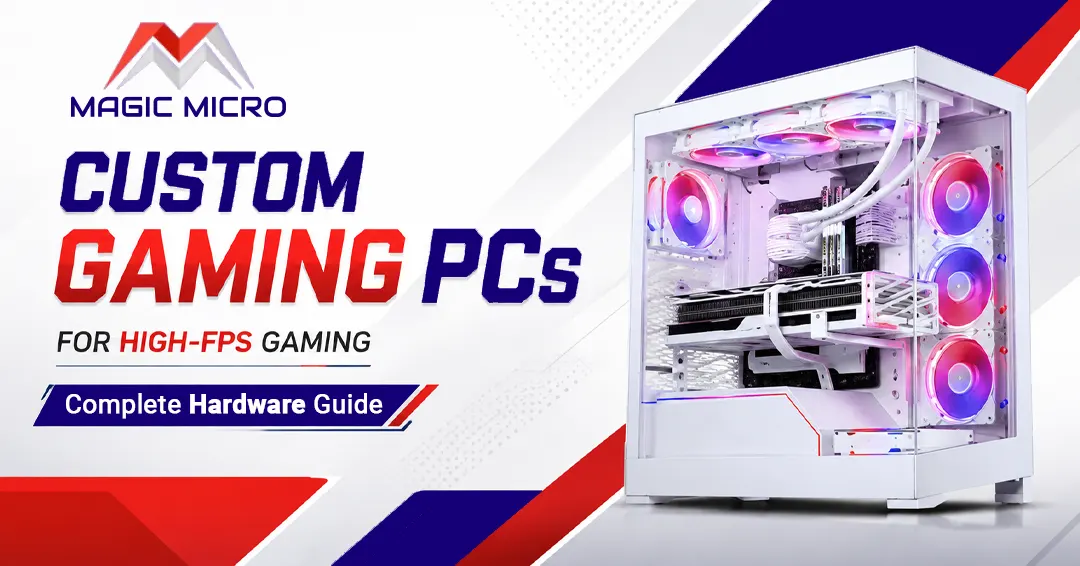
Custom gaming PCs and workstations built with high-FPS gaming in mind pair the right CPU cache architecture, memory speed & GPU tier together so no single component holds the others back. That is the difference between a system that benchmarks well and one that actually feels fast in daily play.
Magic Micro’s full gaming PC catalog covers every tier from entry 1080p high-refresh builds to 240 Hz competitive rigs, all fully configurable. If you want a build put together around your specific monitor and game library rather than a fixed configuration, the build team handles that directly.
Frequently Asked Questions
1. What is a high-FPS gaming PC?
A PC designed to deliver consistently high frame rates for smoother, more responsive gameplay.
2. Is 144 FPS good for gaming?
Yes. 144 FPS provides a smooth experience, especially with a 144 Hz or higher monitor.
3. Is 240 FPS worth it?
Yes, particularly for competitive games when paired with a 240 Hz monitor.
4. Is CPU or GPU more important for high FPS?
Both matter, but the CPU becomes especially important at very high frame rates.
5. Is 16GB RAM enough for high-FPS gaming?
Yes, but 32GB provides more headroom for modern games and multitasking.
6. Does RAM speed affect FPS?
Yes. Faster DDR5 memory can improve gaming performance and frame consistency.
7. Do I need dual-channel RAM?
Yes. Dual-channel RAM provides more memory bandwidth for gaming.
8. Do I need an NVMe SSD for gaming?
An NVMe SSD is recommended for fast loading and smoother asset streaming.
9. What CPU is good for 240 Hz gaming?
High-performance CPUs such as the Ryzen 7 9800X3D are excellent for 240 Hz gaming.
10. Are custom gaming PCs good for high FPS?
Yes. Custom systems can be configured specifically for your desired FPS, resolution, and games.